How to check laptop battery health on MacBook and Windows (with pictures)
Battery health is one of the most important things to check on a used laptop, because batteries wear out with use. Here is how to read it on a MacBook and on Windows, and what the numbers mean.
What battery health means
A new battery holds 100% of its design capacity. As it is charged and used, that figure slowly drops. A battery at 85% will run for roughly 85% as long as it did when new.
- 90% or more: excellent
- 80% to 89%: good, normal for a used laptop
- Below 80%: worn, expect shorter battery life
On a MacBook
- Open System Settings and click Battery.
- Click the info button next to Battery Health to see Maximum Capacity.
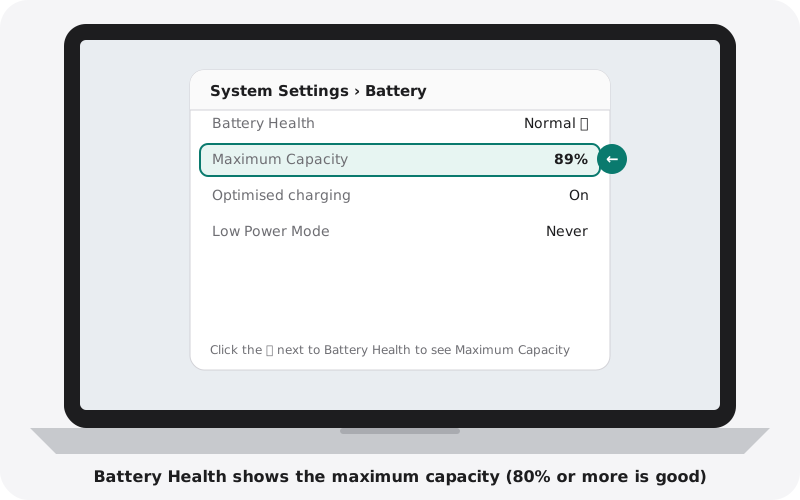
For the cycle count, hold the Option key, click the menu icon in the top-left corner, choose System Information, then click Power.
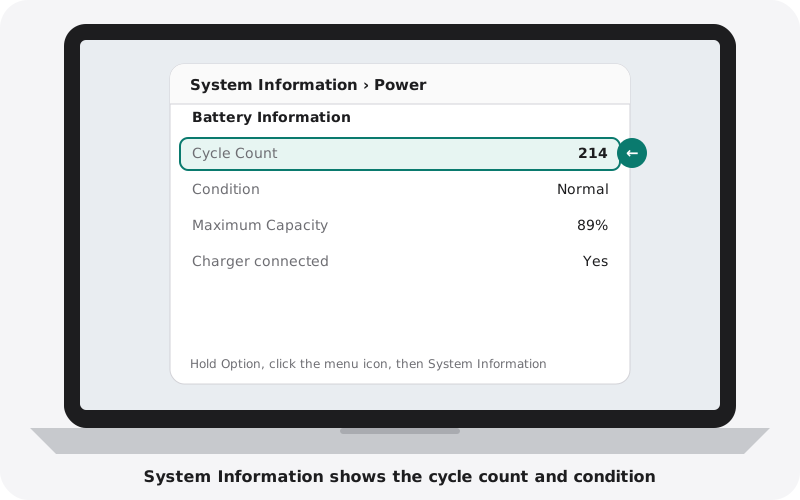
Modern MacBook batteries are rated for about 1,000 cycles. Condition should say Normal. Service Recommended means the battery should be replaced soon.
On Windows
- Click Start, type cmd and open Command Prompt.
- Type powercfg /batteryreport and press Enter.
- Open battery-report.html from your user folder in your browser.
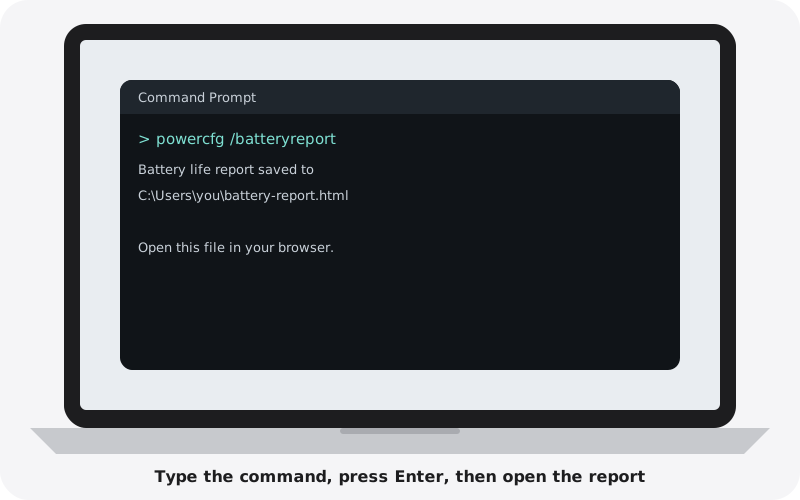
- Divide Full Charge Capacity by Design Capacity.
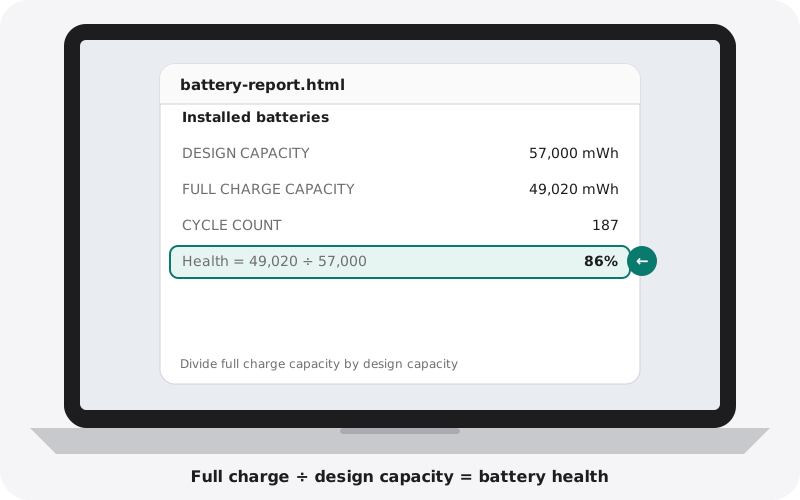
The report also shows the cycle count on most laptops, and a Battery life estimates section near the end.
A simple real-world test
Numbers are useful, but nothing beats a real test:
- Charge to 100% and unplug.
- Set the brightness to about half and play a video for 30 minutes.
- Check how much the percentage dropped.
On a healthy everyday laptop, 30 minutes of video usually uses well under a third of the battery. A drop of 30% or more points to a weak battery (gaming laptops use more).
Warning signs
- The trackpad is raised, the case bulges, or the laptop rocks on a flat table. This can mean a swollen battery. Stop using it and do not charge it.
- The percentage jumps suddenly (for example from 40% to 10%).
- The laptop shuts down above 0% or only works when plugged in.
Buying from nexlap
We show the battery health of every laptop on its product page, so you know what you are getting before you buy. Shop all laptops.